01The Fallacy of Auto-Tracing Low Resolution Bitmaps
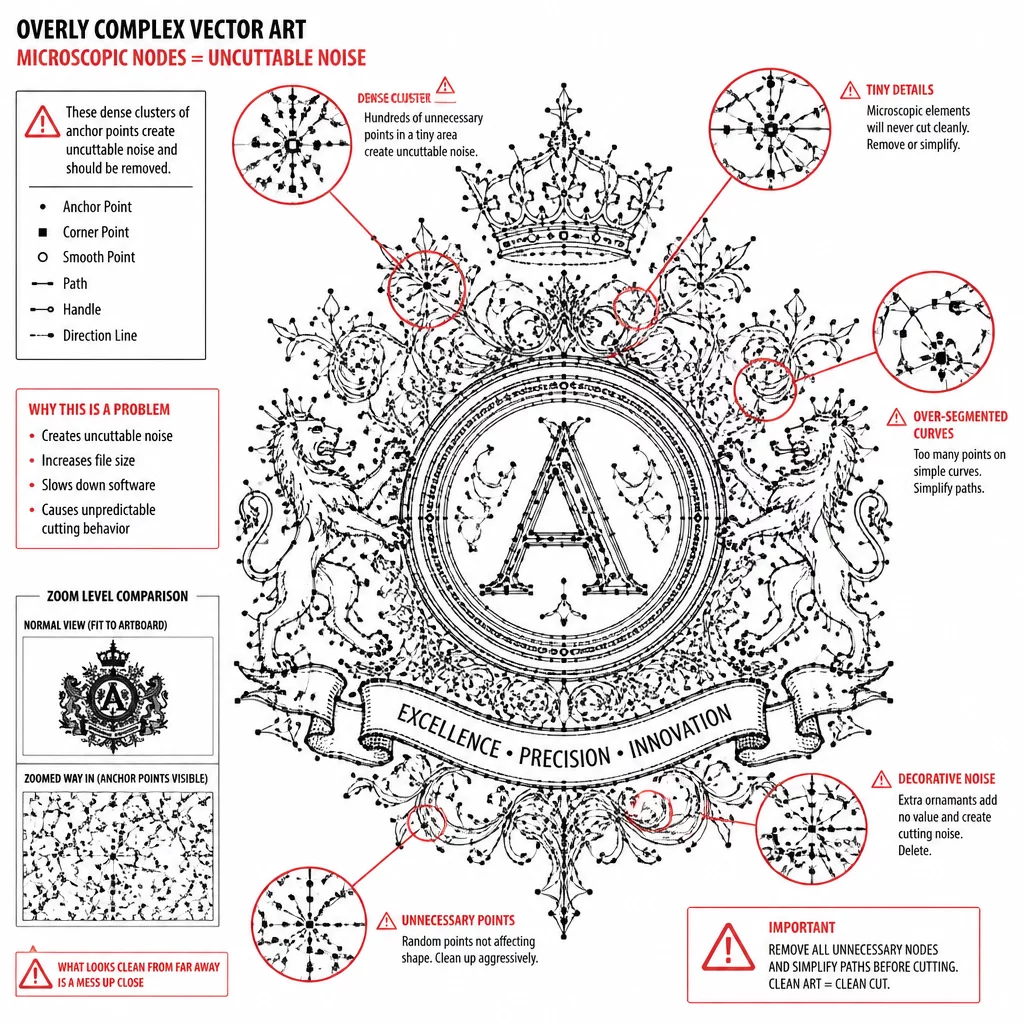
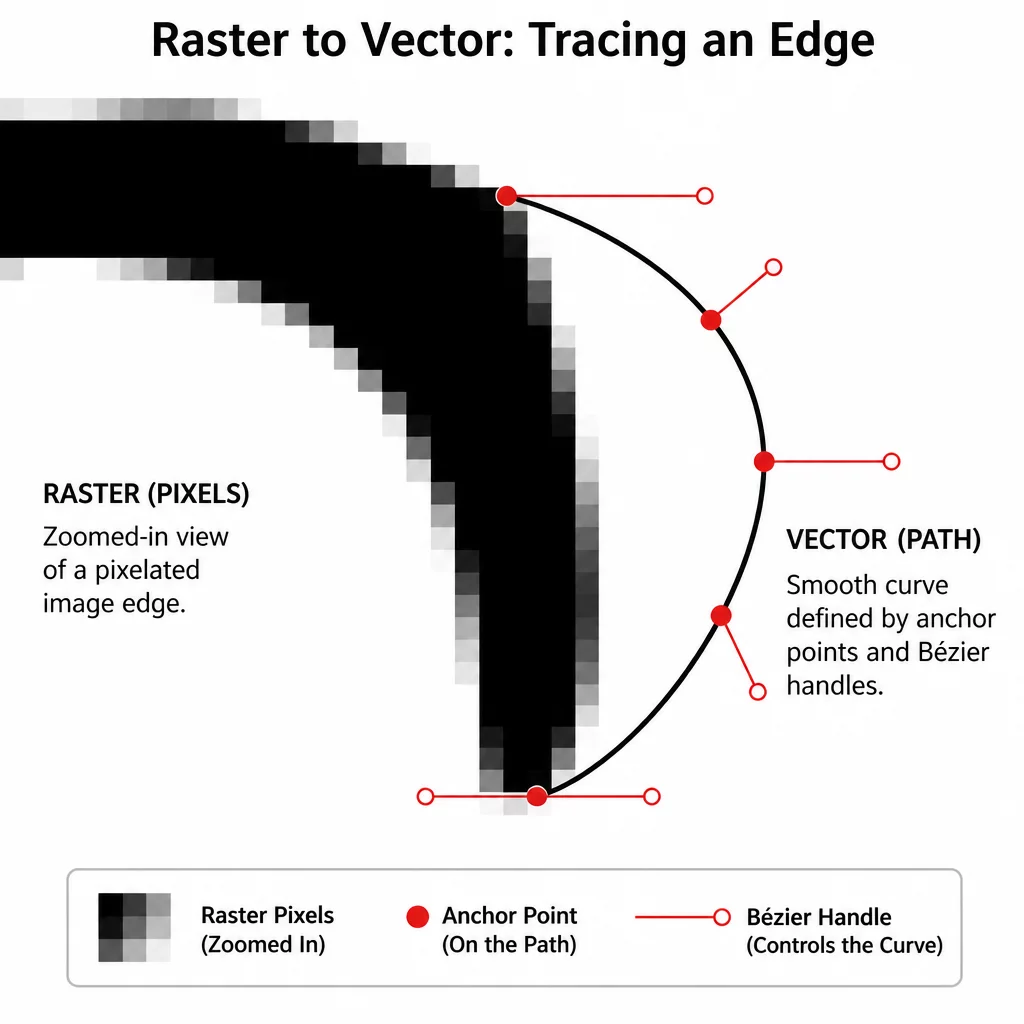
Auto-tracing tools convert pixel luminance steps directly into coordinate points. When importing a low-resolution raster graphic, the tracing algorithm interprets anti-aliased stair-stepping as genuine physical geometry. A blade guided by raw automated tracing will stutter violently across microscopic stair-step nodes, tearing delicate vinyl or gouging cardstock rather than producing a smooth edge.
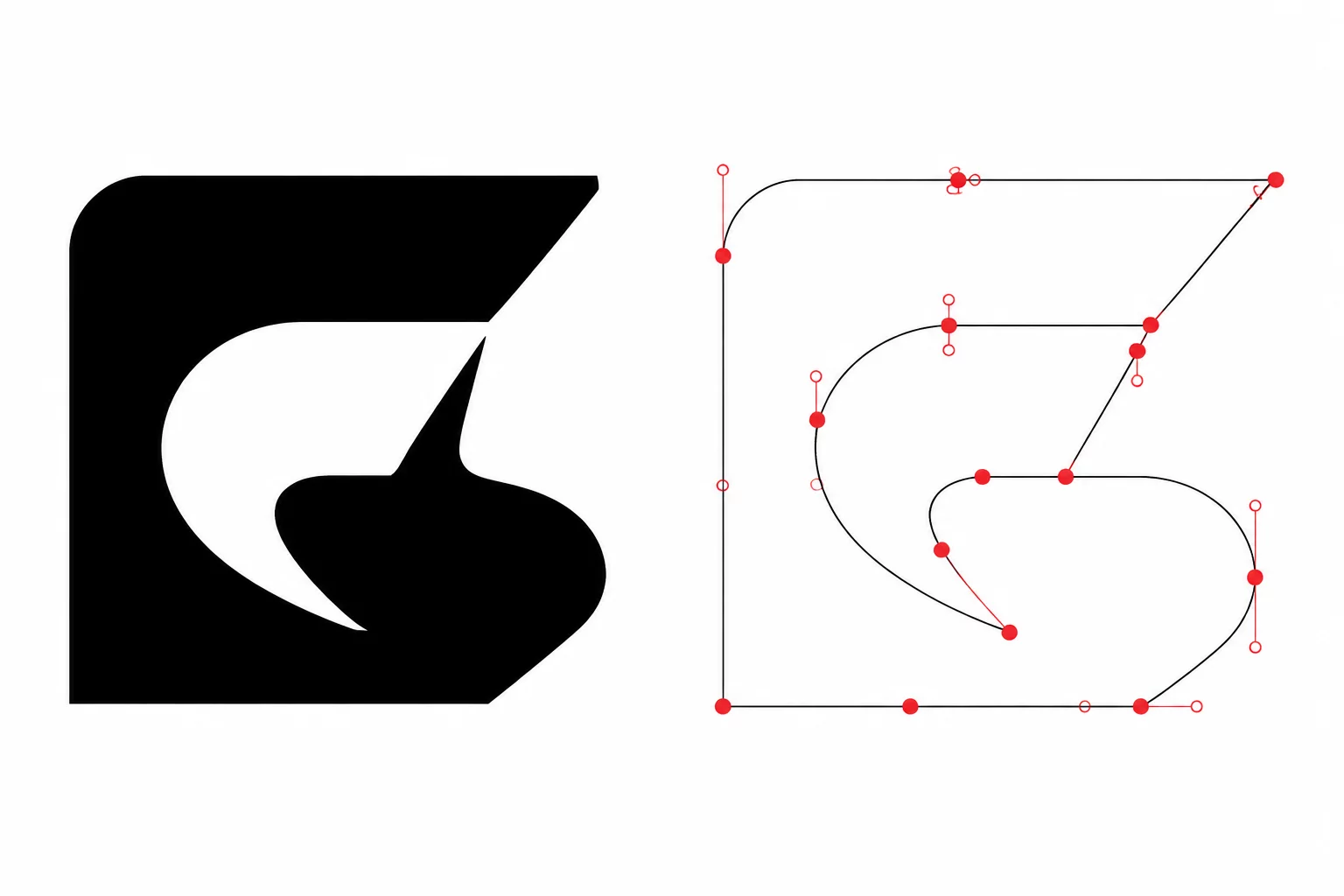
Successful cutting requires translating pixel density transitions into true mathematical curves rather than hundreds of discrete angular segments. Clean vector geometry discards anti-aliasing artifacts while locking onto the authentic perimeter intended by the graphic designer.
Key Takeaways
- Never cut raw auto-traced paths without applying node reduction and curvature smoothing.
- High-contrast transparent PNG assets produce cleaner alpha perimeters than compressed JPEG artwork.
- A single optimized curve requires fewer than 10% of the nodes generated by default threshold auto-tracing.
02Alpha Threshold Tuning and Contrast Isolation
Raster images contain gradients of transparency along their perimeter to blend seamlessly against digital backgrounds. When importing this artwork into cutting software, setting the luminance or alpha threshold too high pulls semi-transparent halo pixels into the path, widening the cut shape unexpectedly.
A vector cut path does not care about color gradients or visual softness; it demands an absolute binary boundary where the blade either penetrates or lifts.
Setting the threshold too low causes the vector engine to bite into the solid graphic core, clipping fine details such as whiskers, serifs, or tapered tips. Calibrate the threshold value using a high-magnification preview until the trace overlay clings strictly to the solid perimeter without capturing fuzzy feathering.
03Eliminating Node Jitter Along Anti-Aliased Edges
Once an initial trace path generates across the PNG contour, post-processing is mandatory. The resulting contour typically contains clusters of redundant anchor points spaced less than 0.1 millimeters apart. These clusters create mechanical friction during high-speed plotting.
- Execute a global path simplification pass to merge collinear and redundant anchor points while retaining sharp corners.
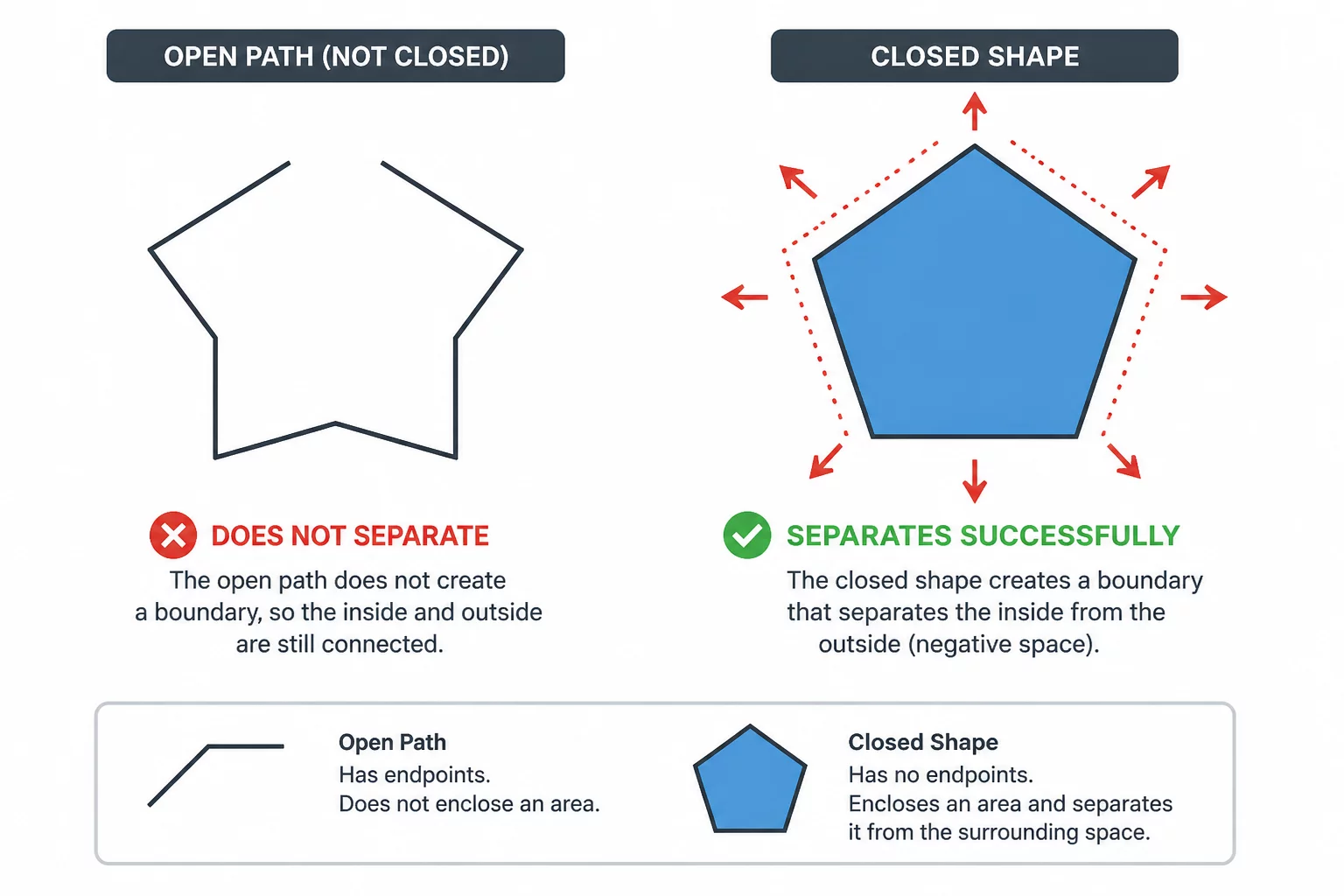
- Inspect tight concave corners to confirm the algorithm did not invent self-intersecting loops or micro-cavities.
- Convert stepped straight-line segments along sweeping curves into smooth single-span cubic Bézier arcs.
Inspecting the path in wireframe mode reveals whether smooth curves remain continuous. Removing unnecessary nodes preserves blade momentum, prolongs tool life, and yields perfectly crisp cutouts.
04Verification Against the Physical Cutter Blade Kerf
After refining the vector path, overlay the newly minted vector boundary directly on top of the original raster graphic at high zoom. The vector cut path should ride precisely along the outer edge of the opaque pixels without floating into empty canvas space.
Remember that dragging a physical blade introduces drag kerf and mechanical tolerance offsets. An inward offset changes the retained artwork edge. Compare it with the original boundary and any printed bleed, then test whether it preserves the intended outline and details.