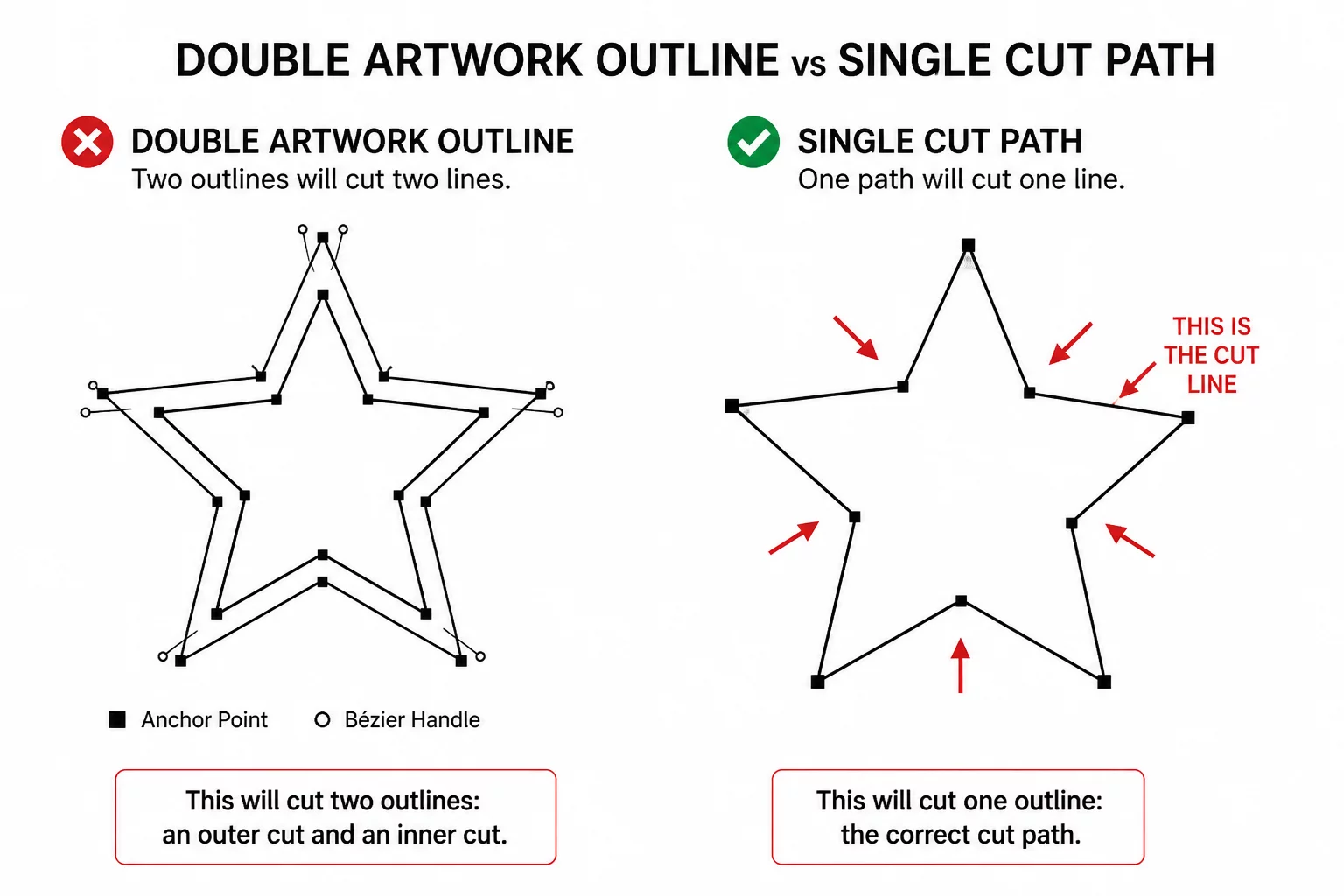
The Artwork Had Two Outlines but Needed One Cut
Resolving redundant stroke duplications that cause blade stutter and premature material tearing on single passes.
Explore cases about outlines, enclosed spaces, offsets, overlaps, text shapes, and cut-path decisions.
Which line should actually become a cut?
A letter looked readable on screen, but its inner counter disappeared from the selected cut paths. Compare the appearance, intended opening, path interpretation, and weeded result.
The filled letter A looks correct because the background shows through its counter. Appearance alone does not confirm that an inner cut is selected.
The triangle is an intentional opening. For a vinyl letter, its center is waste that should be removed while the letter body stays on the carrier.
The outside path is active, but the counter loop was lost during preparation. The dashed red loop marks the missing cut that must be restored.
Without the inner cut, the letter remains solid. With the counter restored, the center can be weeded to produce the intended opening. Test at the final size.
Mastering path logic transforms digital artwork into clean, repeatable physical cuts while eliminating typical fabrication failures before loading the blade.
Proper boundary nesting and true vector union prevent erroneous double cuts and micro-slits that routinely ruin sheets of heat transfer and adhesive vinyl.
Simplifying excessive anchor points and resolving duplicate collinear paths reduces toolhead travel distance and significantly accelerates plot cycles.
Optimized corner transitions and overcut compensation eliminate jagged edges, incomplete corners, and material dragging on intricate curve intersections.
Strategic internal shape grouping, closed compound loops, and deliberate weed path breaks allow negative space to pull away in one continuous sheet without tearing.
Welded cursive overlaps, reinforced font counters, and calculated stencil bridges keep delicate typography connected and structurally sound during transfer.
Standardized outer registration geometry and unified offset contours provide reference points for alignment when stacking multiple color passes or physical layers.
CutPath Grammar is dedicated exclusively to vector geometry, path calculation, and node logic. Here is the exact distinction between what we teach and what lies strictly outside our educational mission.
Understanding the fundamental separation between visual styling (fill colors, stroke weights) and true cutter trajectory lines.
Precise anchor-point simplification, merging intersecting outlines, bridge building for stencil letterforms, and eliminating jagged nodes.
Identifying trapped counters, compound path reversal rules, and automated vs manual contour offset calculations for clean material separation.
We do not diagnose plotter motor failures, mechanical calibration issues, roller replacements, or physical blade wear.
We do not host, distribute, or bundle executable installation packages for Silhouette Studio, Illustrator, or third-party drivers.
We have zero involvement with software edition upgrades, serial keys, commercial licensing, or proprietary account management.
Microscopic anchor point clusters, duplicate overlapping contours, and unmanaged offset layers cause severe blade friction, ripped substrate, and irreversible production loss.
Auto-traced artwork introduces thousands of jagged coordinates. The plotter blade pivots continuously in sub-millimeter increments, producing rough edges and difficult weeding.
If overlapping boundaries remain active, they can cut through the intended finished form. Choose a union or an appropriate outer-edge cut action, then inspect the active paths.
Decide which holes belong in each offset layer. A solid backing and an open foreground may need different inner paths; preserve intentional openings.
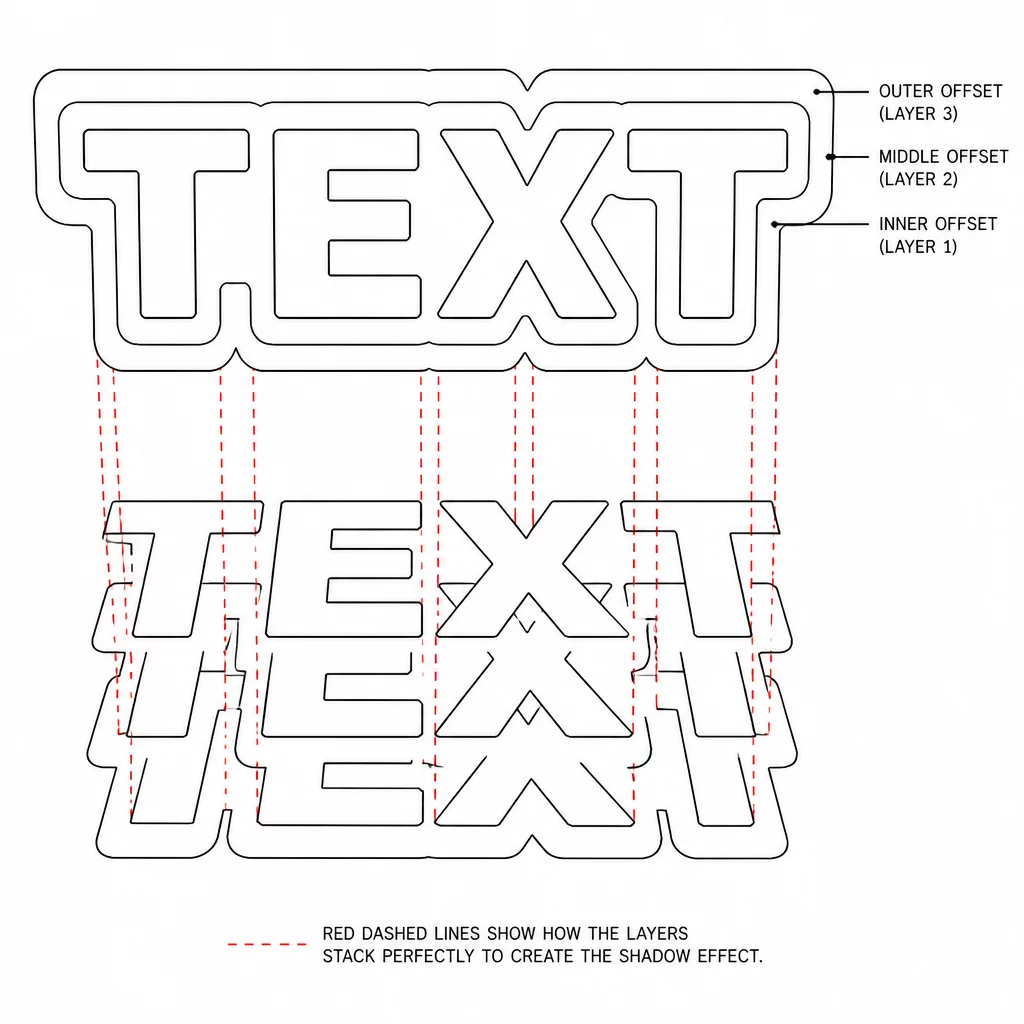 Offset Analysis
Prevent destructive double-line slicing when building stacked multi-tier offsets. Learn the exact point simplification routine before running machine jobs.
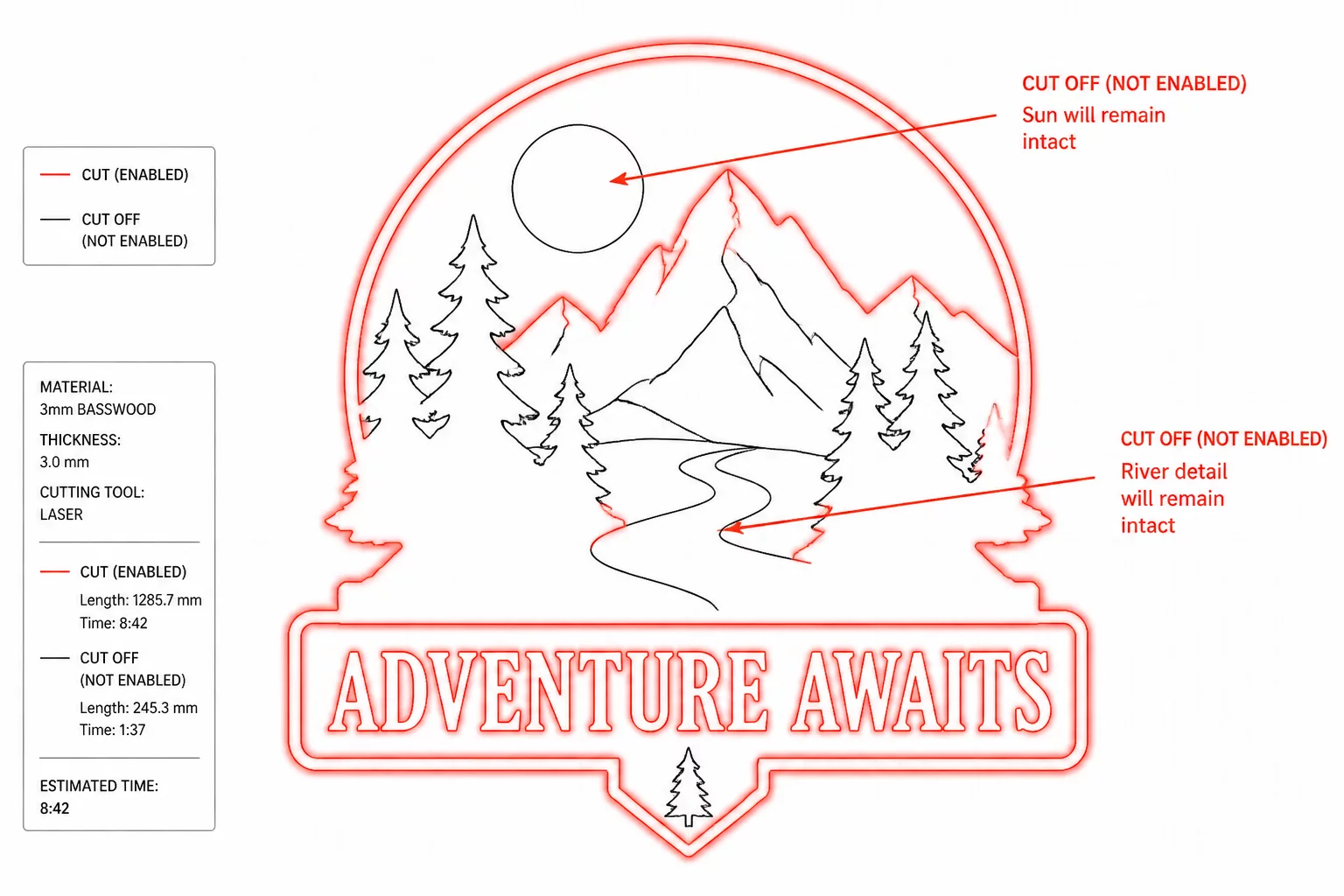 Software Diagnostics
Interpret active red path boundaries versus inert visual fills. Identify unassigned cut lines and ghost curves before sending the job to hardware.
Explore essential vector case studies demonstrating the critical boundary distinction between visual artwork and physical cutting paths.
Resolving redundant stroke duplications that cause blade stutter and premature material tearing on single passes.
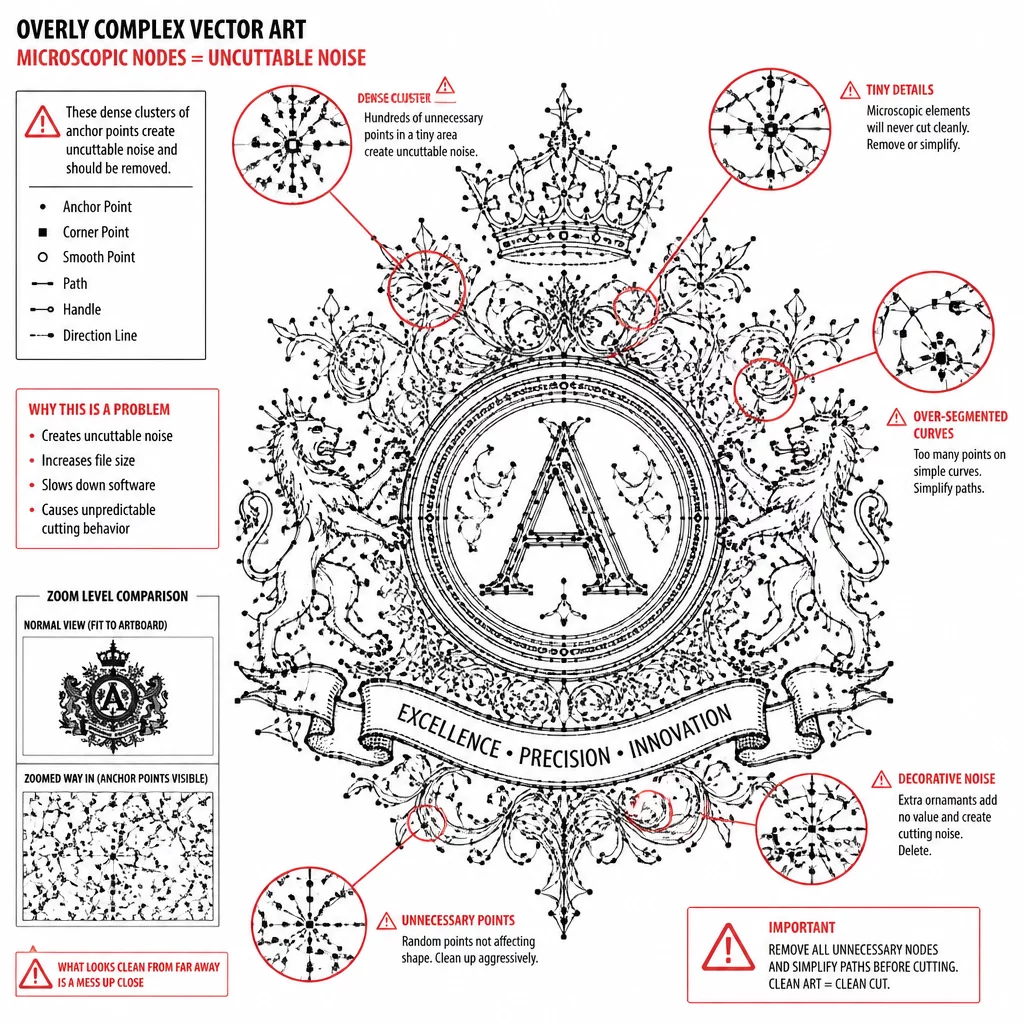
Filtering hyper-dense anchor point clusters that overwhelm machine servos and produce jagged edge finishes.
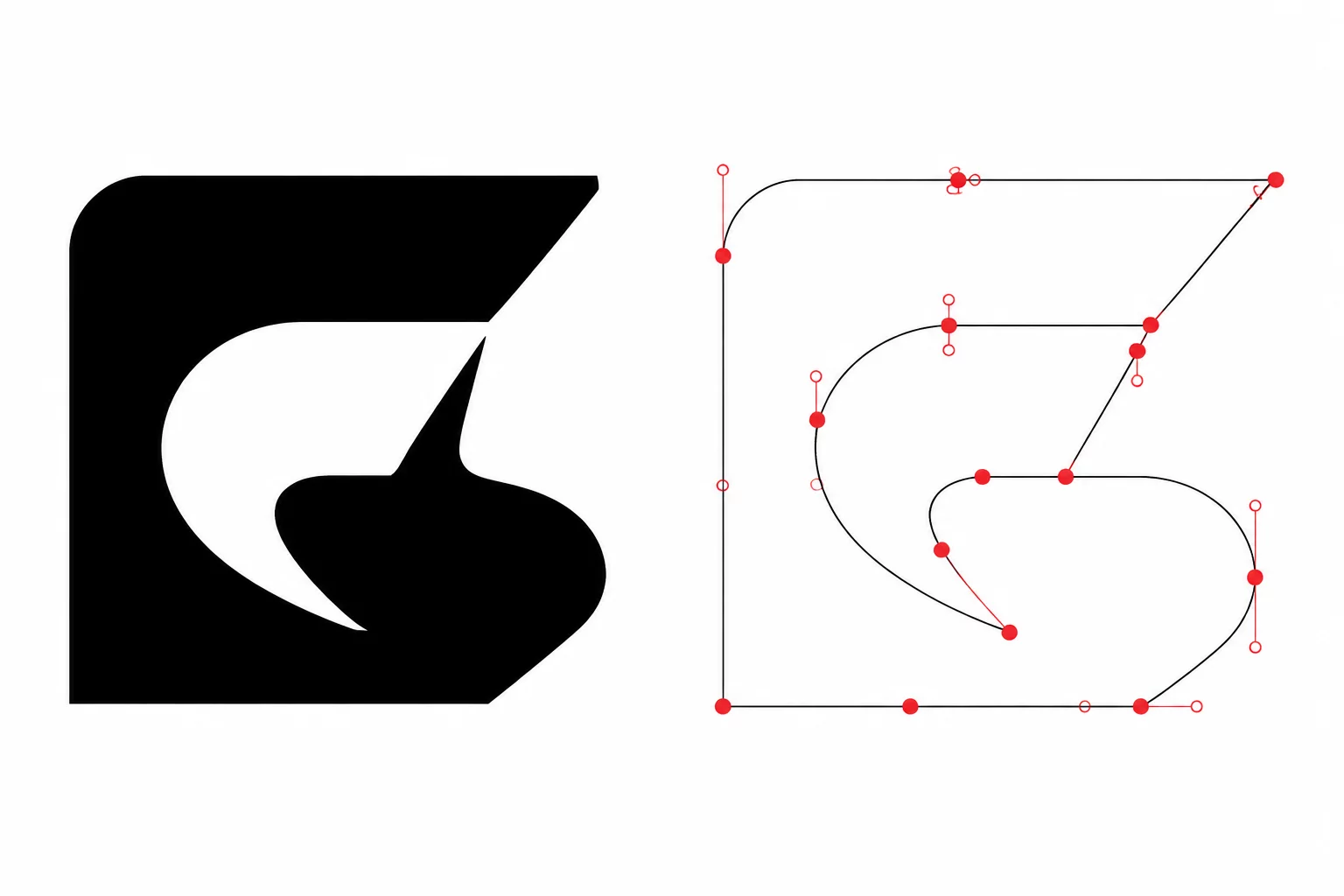
Demystifying why cosmetic fills and outline strokes do not translate directly to cutter coordinate trajectories.
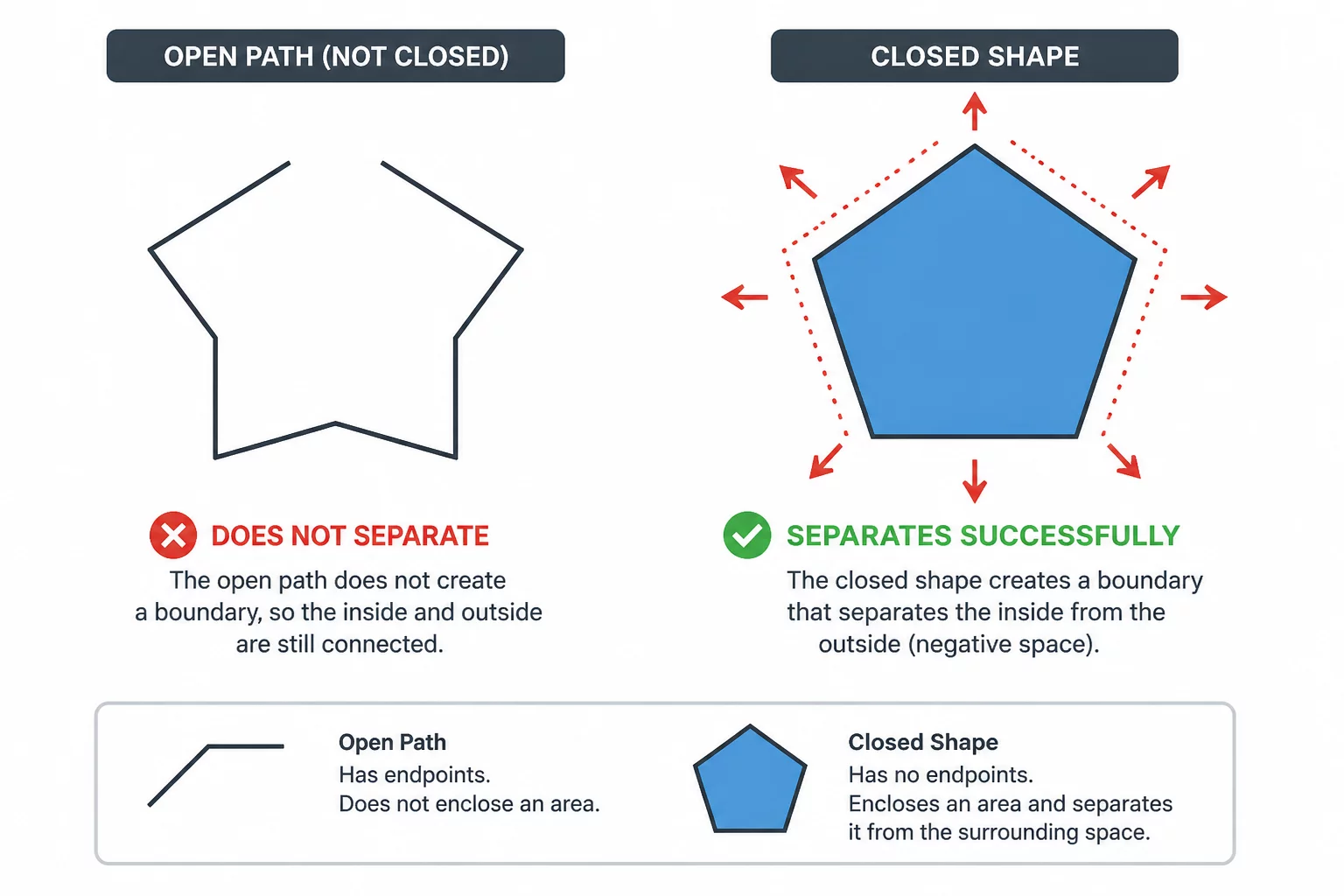
Analyzing winding rules, compound loops, and node continuity to plan clean vinyl and cardstock release.
Deconstructing vector stroke expansions, enclosed counters, offset tolerances, and compound node logic for clean plotter output.
How stroke expansions produce duplicate concentric paths and how to isolate the singular outer cut vector.
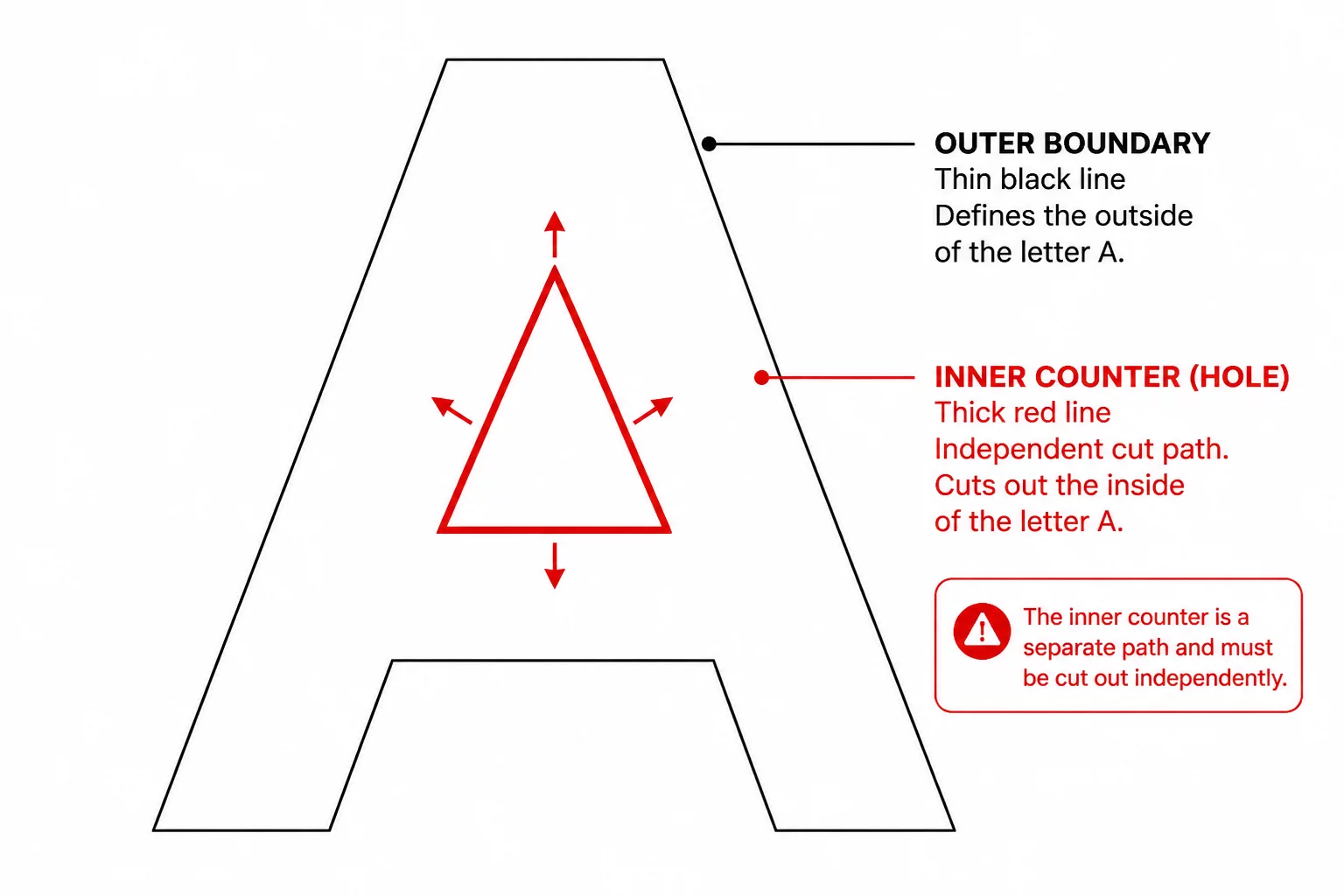
Understanding closed counters in typographic paths and maintaining negative space retention during blade plotting.
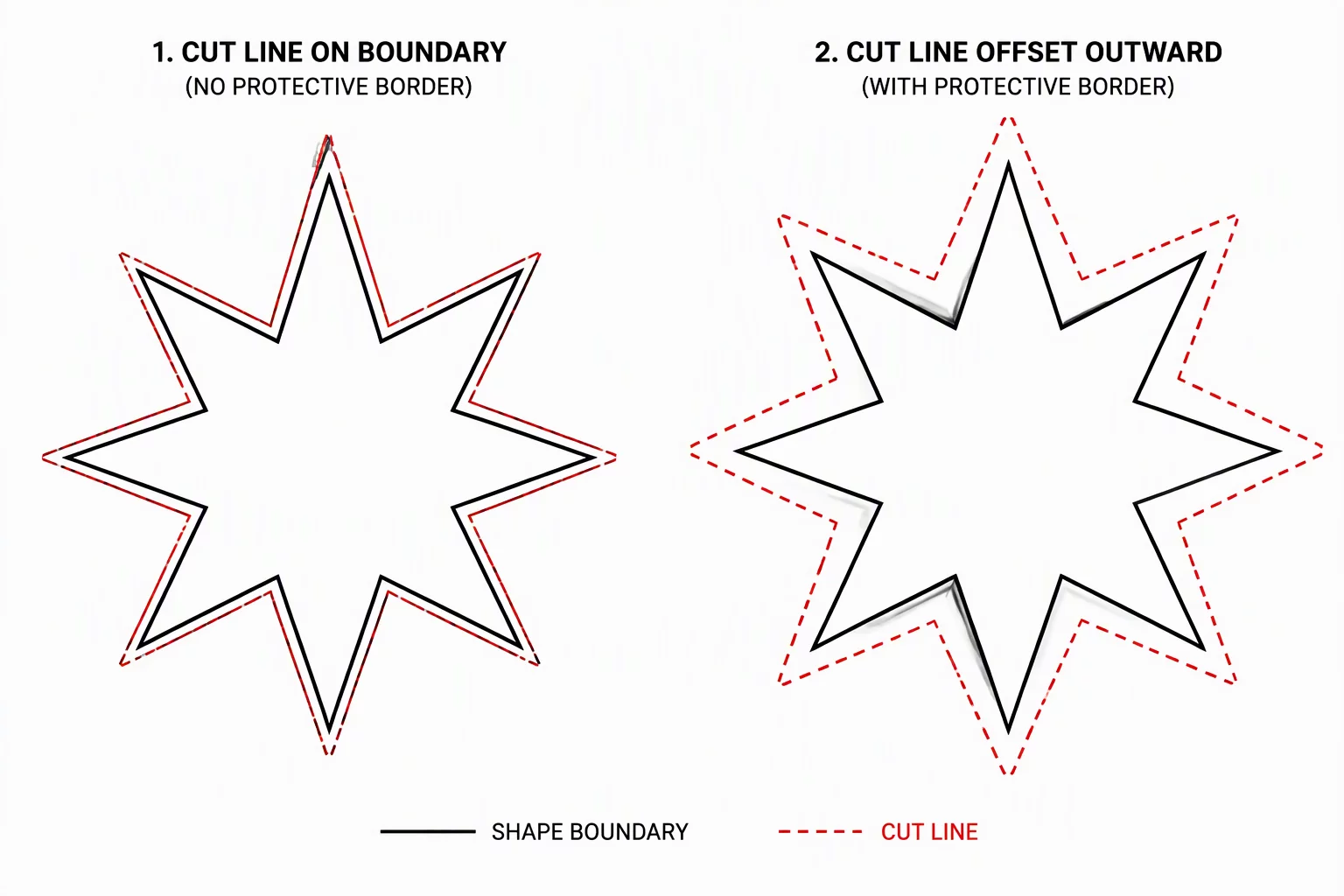
Evaluating bleeding margins against true vector borders to eliminate unwanted white slivers on printed substrates.
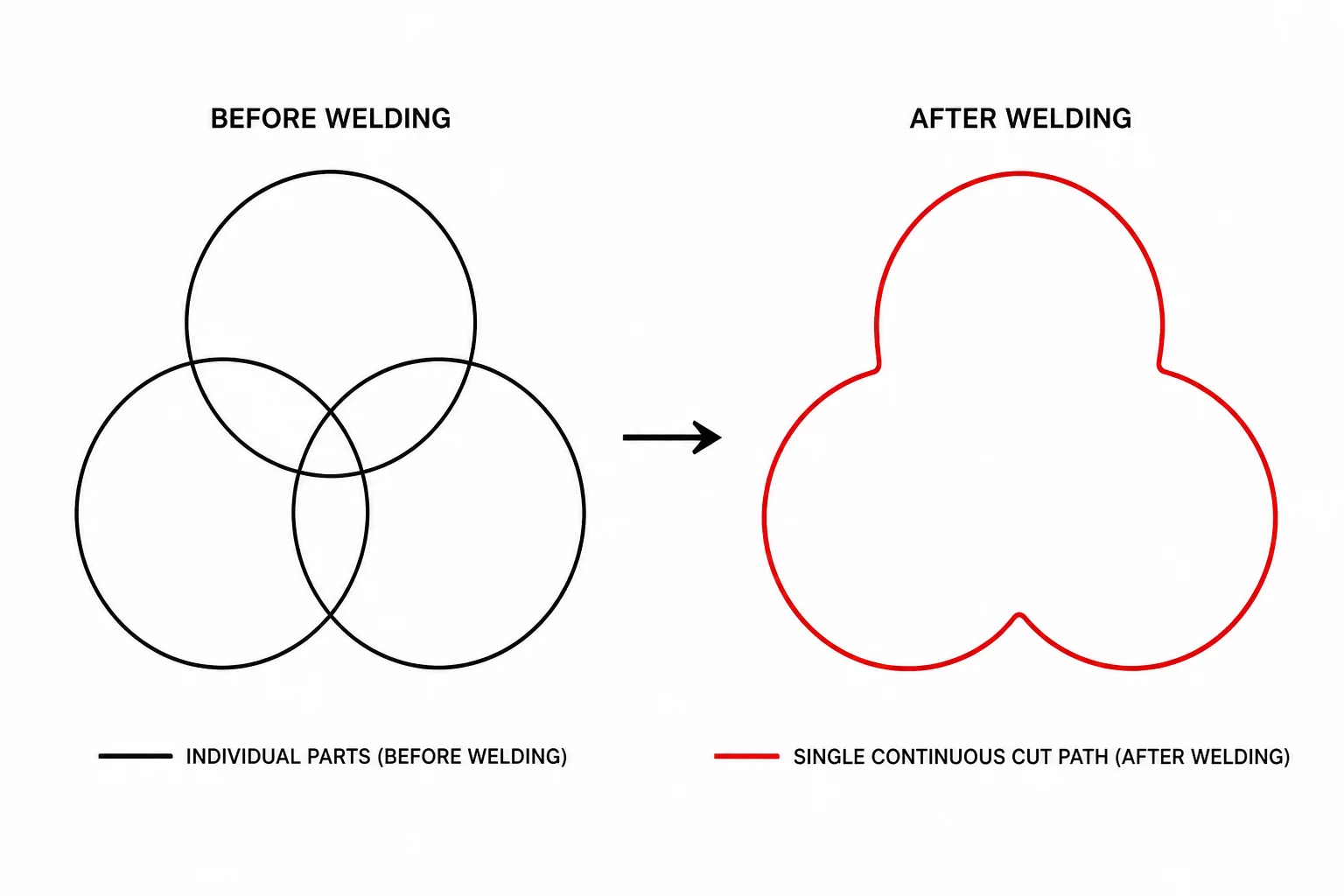
Boolean weld operations versus visual stacking: how to choose the outside union while preserving intentional holes.
Recognizing sub-millimeter node clusters that produce rough edges and cause media tearing during high-speed cuts.
Why fill layers, clipping masks, and screen opacities mean nothing to a cutter that only follows raw Bézier coordinates.
Analyzing endpoint gaps and why unclosed contour paths cause incomplete vinyl weeding and hanging edges.
CutPath Grammar is an independent educational initiative dedicated strictly to vector path architecture, curve closure, and node optimization. We operate entirely independently of machine vendors and proprietary software ecosystems.
Silhouette Studio® is a registered trademark of Silhouette America, Inc. Any references to Silhouette Studio, Silhouette Cameo, or related desktop tooling are made strictly for practical educational demonstration, software environment context, and vector geometry analysis. CutPath Grammar is NOT affiliated with, sponsored by, or endorsed by Silhouette America.
We do not sell, distribute, host, or crack software installers, license upgrade keys, or Business Edition serial numbers under any circumstances.
CutPath Grammar does not run a digital cut file store, design marketplace, subscription vector catalog, or commercial SVG asset warehouse.
We do not handle machine firmware, cutting blade warranty claims, hardware repairs, Bluetooth connection bugs, or official customer support.
Our materials focus exclusively on cut geometry principles: compound paths, outline expansion, internal counters, and offset calculations.
Experiencing unexpected double passes, shredded corners, or isolated interior cutaways? Describe the intended shape and cut-path decision for an educational inquiry.
Identify overlapping loops, unclosed vectors, and excessive anchor point density.
Troubleshoot trapped counters, floating shapes, and compound path reversals.
Discuss intended outer offsets and clean shadow layer stacking configurations.
This form is for educational geometry questions and editorial suggestions; it does not provide machine support or official cutting presets.